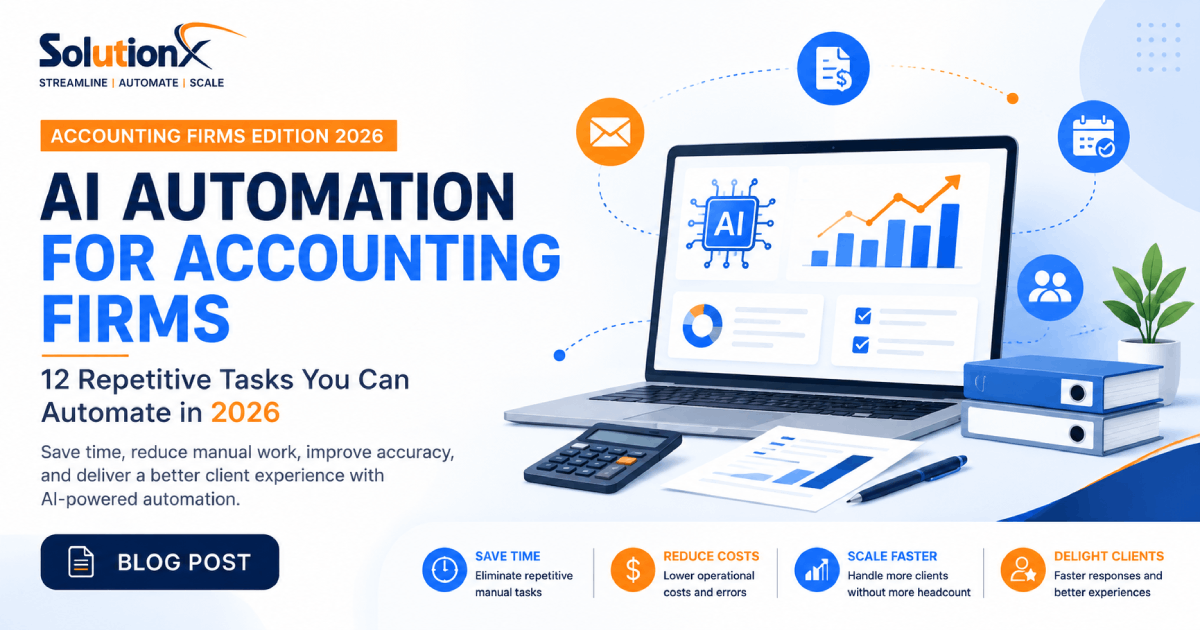
AI Automation for Accounting Firms: 12 Repetitive Tasks You Can Automate in 2026
Running an accounting or bookkeeping firm has never been more demanding. Clients expect faster responses, real-time financial insights, seamless digital experiences, and proactive communication. Meanwhile, accounting teams face increasing workloads, evolving compliance requirements, talent shortages, and growing operational costs.
The good news is that many of the tasks consuming your team's time are repetitive, rule-based, and highly suitable for automation.
Artificial Intelligence (AI) automation enables accounting firms to eliminate manual administrative work, improve accuracy, accelerate client service, and scale operations without significantly increasing headcount. Rather than replacing accountants, AI empowers professionals to spend more time on strategic advisory services, financial planning, and client relationships.
Whether you're a solo bookkeeper, a growing accounting practice, or an established CPA firm, implementing AI automation can dramatically improve efficiency while delivering a better client experience.
In this guide, we'll explore twelve accounting workflows that can be automated, the benefits of AI automation, common implementation mistakes, and practical steps to modernize your firm.
Why AI Automation Matters for Accounting Firms
The accounting industry has changed dramatically over the past decade.
Today's firms manage much more than tax preparation and bookkeeping. Teams handle:
Client onboarding
Document collection
Invoice processing
Appointment scheduling
Compliance tracking
CRM management
Email communication
Internal approvals
Reporting
Customer support
Although these tasks are essential, many involve repetitive actions that consume valuable time without directly contributing to business growth.
For example, requesting missing documents from clients often involves multiple follow-up emails. Scheduling meetings may require several back-and-forth messages. Updating CRM records, generating reports, and tracking approvals all require manual effort that could instead be automated.
AI automation helps accounting firms streamline these processes, allowing professionals to focus on delivering higher-value services such as financial analysis, tax planning, business consulting, and client advisory.
Benefits of AI Automation
Implementing AI automation can provide significant operational improvements:
Benefit | Business Impact |
|---|---|
Save Time | Reduce repetitive manual work by automating routine tasks. |
Improve Accuracy | Minimize human errors in data entry and document processing. |
Faster Client Service | Respond more quickly to client inquiries and requests. |
Better Employee Productivity | Allow staff to focus on strategic and revenue-generating activities. |
Consistent Workflows | Standardize processes across your organization. |
Business Scalability | Handle more clients without proportional increases in staffing. |
The result is a more efficient accounting practice capable of delivering higher-quality service while maintaining profitability.
12 Accounting Processes You Can Automate
1. Client Onboarding
Client onboarding is one of the first impressions your accounting firm makes. Unfortunately, it's often slowed by manual emails, paperwork, document requests, and scheduling.
A typical onboarding process may require:
Sending welcome emails
Collecting business information
Gathering financial documents
Signing engagement letters
Scheduling kickoff meetings
Creating CRM records
Assigning internal tasks
When performed manually, this process can take hours for every new client.
AI automation allows these steps to happen automatically through predefined workflows.
For example, once a prospect signs an agreement:
A personalized welcome email is sent.
Required documents are requested automatically.
CRM records are created.
Internal tasks are assigned to staff.
A meeting invitation is generated.
Progress is tracked without manual intervention.
This creates a consistent onboarding experience while reducing administrative effort.
2. Automated Document Collection
One of the biggest productivity challenges for accounting firms is collecting client documents.
Every month, accountants spend valuable time requesting:
Bank statements
Receipts
Payroll records
Tax documents
Sales reports
Expense reports
Financial statements
Many clients forget to submit documents on time, leading to repeated follow-up emails and project delays.
AI-powered document collection workflows solve this problem by automatically:
Sending reminders before deadlines
Tracking uploaded documents
Identifying missing files
Notifying staff when submissions are complete
Escalating overdue requests
Instead of chasing paperwork, your team can focus on reviewing financial information and providing client guidance.
3. Invoice and Receipt Processing
Manual invoice processing is both time-consuming and prone to errors.
Accounting professionals often spend hours:
Reading invoices
Entering supplier information
Recording invoice numbers
Categorizing expenses
Calculating tax values
Uploading supporting documents
Modern AI document processing tools can automatically extract structured information from invoices and receipts using optical character recognition (OCR) and machine learning.
Typical automated workflow:
Client uploads an invoice.
AI extracts key information.
Expenses are categorized.
Tax values are identified.
Data is pushed into accounting software.
Staff reviews exceptions only.
Rather than replacing accountants, AI significantly reduces repetitive data entry while improving consistency and accuracy.
4. Appointment Scheduling
Scheduling meetings shouldn't require multiple emails.
Yet many firms still spend valuable administrative time coordinating appointments with clients.
AI scheduling automation allows clients to:
View available meeting times
Book appointments online
Receive automatic confirmations
Get reminder emails
Reschedule when necessary
Cancel appointments without staff intervention
The workflow can also:
Synchronize with calendars
Prevent double bookings
Handle timezone conversions
Send meeting links automatically
Notify team members instantly
This creates a smoother experience for both staff and clients while eliminating unnecessary administrative work.
5. Client Follow-Up Automation
Following up with clients is essential, but doing it manually can quickly become overwhelming.
Accounting firms regularly send reminders for:
Missing documents
Outstanding invoices
Tax deadlines
Quarterly reviews
Engagement renewals
Compliance requirements
Without automation, these reminders rely heavily on staff remembering to send them at the right time.
AI-powered workflows can automatically trigger personalized emails or messages based on specific events.
Examples include:
A reminder sent seven days before a tax deadline.
A follow-up email when documents remain outstanding.
An invoice reminder after payment becomes overdue.
A quarterly business review invitation.
A request for updated financial information.
Automated communication improves client responsiveness while reducing the administrative burden on your team.
6. CRM Management and Client Records
Accurate customer data is essential for delivering excellent service.
Unfortunately, CRM systems often become outdated because staff are too busy to manually update records.
AI automation can automatically:
Create new client profiles
Update contact information
Log meetings
Record emails
Assign follow-up tasks
Track opportunities
Notify account managers
Keeping CRM data current ensures that everyone in your organization has access to accurate client information.
It also improves collaboration between accounting, operations, and business development teams while reducing duplicate work.
7. Email Management and Communication
Email remains one of the primary communication channels for accounting firms. From responding to client inquiries to sending reminders and sharing financial reports, teams often spend several hours each day managing their inboxes.
AI-powered email automation can significantly reduce this workload by intelligently handling repetitive communication tasks.
Common automations include:
Categorizing incoming emails by priority or topic
Routing messages to the appropriate team member
Generating draft responses for common inquiries
Summarizing long email threads
Automatically sending acknowledgment emails
Following up on unanswered client messages
For example, when a client emails requesting a copy of a previous financial report, an AI assistant can identify the request, locate the appropriate document, draft a response, and notify an accountant for review before sending.
By reducing time spent managing emails, accounting professionals can focus on higher-value work while ensuring clients receive timely and consistent communication.
8. Internal Approval Workflows
Many accounting processes require multiple levels of review before completion. Tax returns, financial statements, expense reimbursements, payroll approvals, and client reports often move through several team members before they are finalized.
Managing these approvals manually through email or spreadsheets can lead to delays, confusion, and missed deadlines.
Workflow automation can streamline approval processes by:
Automatically assigning reviewers
Sending approval requests
Tracking approval status
Escalating overdue approvals
Recording approval history
Notifying stakeholders when reviews are complete
A structured approval workflow ensures accountability while reducing bottlenecks and improving compliance across the organization.
9. Financial Reporting
Preparing recurring reports is another time-consuming responsibility for accounting firms. Whether producing monthly management reports, quarterly financial statements, or KPI dashboards, compiling information from multiple systems often requires significant manual effort.
AI automation can generate reports automatically by collecting data from integrated systems and presenting it in standardized formats.
Automated reporting can include:
Monthly financial summaries
Cash flow reports
Budget vs. actual analysis
Profitability dashboards
KPI reports
Client performance reports
Tax preparation summaries
Instead of manually assembling spreadsheets every reporting period, accountants can spend more time interpreting results and providing valuable business insights.
10. AI-Powered Client Support
Clients frequently contact accounting firms with routine questions such as:
Has my document been received?
When is my tax return due?
Can I schedule a meeting?
What information do you need from me?
Has my invoice been paid?
Responding to these repetitive inquiries consumes valuable staff time.
AI-powered virtual assistants and chatbots can answer common questions instantly, 24 hours a day, while escalating more complex requests to human professionals when necessary.
These AI assistants can:
Answer frequently asked questions
Collect client information
Schedule appointments
Provide status updates
Direct clients to relevant resources
Create support tickets
The result is faster response times, improved customer satisfaction, and reduced administrative workload.
11. Lead Management and Sales Automation
Growth requires a consistent and organized sales process. Unfortunately, many accounting firms still manage new inquiries manually, increasing the risk of delayed responses or missed opportunities.
AI-powered lead management automates the journey from initial inquiry to consultation booking.
Typical automations include:
Capturing website inquiries
Qualifying leads using predefined criteria
Sending personalized follow-up emails
Scheduling consultations
Assigning leads to team members
Updating CRM records automatically
Tracking sales pipeline progress
Responding quickly to prospective clients improves conversion rates and creates a more professional first impression.
12. Workflow Monitoring and Performance Analytics
Automation doesn't end once a workflow is implemented. Continuous monitoring is essential to ensure processes remain efficient and deliver measurable business value.
Modern automation platforms provide dashboards that allow managers to monitor:
Workflow completion times
Task bottlenecks
Client response times
Employee workload
Automation success rates
Operational KPIs
These insights help identify opportunities for further optimization while ensuring automation continues to support business goals as the firm grows.
Benefits of AI Automation for Accounting Firms
Implementing AI automation provides benefits that extend far beyond time savings. It transforms how accounting firms operate, improving productivity, consistency, and client satisfaction.
Some of the most significant advantages include:
Increased Productivity
By eliminating repetitive administrative work, accountants can dedicate more time to advisory services, financial analysis, and strategic planning.
Improved Accuracy
Automated workflows reduce manual data entry and help minimize costly errors caused by repetitive tasks.
Faster Client Service
Automated communication, document processing, and scheduling ensure clients receive timely responses and a smoother overall experience.
Better Compliance
Standardized workflows make it easier to follow internal procedures, maintain audit trails, and reduce compliance risks.
Greater Scalability
Automation enables firms to serve more clients without proportionally increasing administrative staff, making sustainable growth more achievable.
Real-World Example
Imagine a bookkeeping firm with five employees managing more than 150 monthly clients.
Before implementing AI automation:
Staff manually requested financial documents every month.
Appointment scheduling required multiple email exchanges.
CRM records were frequently outdated.
Reporting consumed several days at the end of each month.
After implementing automation:
Document requests were sent automatically.
Clients booked meetings online.
CRM updates occurred in real time.
Monthly reports were generated automatically.
As a result, the team reclaimed dozens of hours each month, improved response times, and increased capacity without hiring additional administrative staff.
Common Mistakes to Avoid When Implementing AI Automation
While AI automation can deliver significant benefits, success depends on implementing it strategically. Many organizations rush into automation without evaluating their existing processes, resulting in unnecessary complexity and disappointing outcomes.
Here are some of the most common mistakes accounting firms should avoid.
1. Automating Inefficient Processes
Automation should improve a process—not preserve an inefficient one.
Before implementing AI, review your existing workflows and identify unnecessary steps, duplicated work, or manual bottlenecks. Simplifying the process first ensures automation delivers the greatest return on investment.
2. Choosing Too Many Tools
Using multiple disconnected automation platforms can create data silos and increase maintenance costs.
Instead, select solutions that integrate with your existing accounting software, CRM, communication tools, and document management systems.
3. Ignoring Employee Training
Technology alone doesn't guarantee success.
Employees should understand how automated workflows operate, when human intervention is required, and how to manage exceptions effectively. Proper training encourages adoption and helps maximize the value of your investment.
4. Forgetting Security and Compliance
Accounting firms handle highly sensitive financial information. Any automation solution should follow strong security practices, including:
Role-based access control
Data encryption
Secure API integrations
Audit logs
Compliance with relevant data protection regulations
Security should be considered from the beginning of every automation project.
5. Not Measuring Performance
Automation is not a one-time project. Firms should continuously monitor key performance indicators (KPIs), such as:
Time saved
Processing speed
Error reduction
Client response time
Client satisfaction
Operational costs
Tracking these metrics helps identify opportunities for further optimization and demonstrates the return on investment.
How to Start Your AI Automation Journey
If your accounting firm is considering AI automation, starting with a structured approach can significantly improve the chances of success.
Step 1: Identify Repetitive Tasks
Look for tasks that are performed repeatedly every day, week, or month. Common examples include document collection, appointment scheduling, invoice processing, and email follow-ups.
Step 2: Prioritize High-Impact Workflows
Focus on processes that consume the most time or frequently cause delays. Automating these workflows typically provides the fastest return on investment.
Step 3: Evaluate Your Current Systems
Review the software your firm already uses, such as accounting platforms, CRM systems, cloud storage, communication tools, and document management solutions. Many automation projects begin by connecting existing systems rather than replacing them.
Step 4: Start Small
Rather than automating everything at once, begin with one or two workflows. Early successes build confidence and make it easier to expand automation across the organization.
Step 5: Measure Results
Monitor improvements using measurable KPIs such as hours saved, response times, operational costs, and client satisfaction. Use these insights to refine and scale your automation strategy.
How Pro SolutionX Helps Accounting Firms
Every accounting firm has unique workflows, software, and operational challenges. At Pro SolutionX, we design tailored AI automation solutions that integrate seamlessly with your existing processes rather than forcing you to adopt a one-size-fits-all system.
Our services include:
AI Consulting & Automation Audits to identify high-impact automation opportunities.
Business Process & Workflow Automation to eliminate repetitive manual tasks.
AI Agents that assist with client communication, scheduling, and information management.
Custom API Integration to connect your accounting software, CRM, cloud storage, payment systems, and other business applications.
Custom Software Development for firms requiring specialized solutions that align with their unique workflows.
Whether you're looking to automate a single process or transform your entire operation, our team can help you implement practical, scalable, and secure AI solutions.
Frequently Asked Questions
What accounting tasks can AI automate?
AI can automate many repetitive administrative tasks, including client onboarding, document collection, invoice processing, appointment scheduling, CRM updates, reporting, email management, follow-up reminders, lead management, and customer support.
Will AI replace accountants?
No. AI is designed to automate repetitive and time-consuming tasks, allowing accountants to focus on strategic planning, financial analysis, advisory services, and building stronger client relationships.
Is AI automation suitable for small bookkeeping firms?
Absolutely. Small firms often experience the greatest benefits because automation allows them to increase productivity without hiring additional administrative staff.
How long does AI automation implementation take?
The timeline depends on project complexity. Simple workflow automations can often be implemented within a few days, while larger projects involving multiple systems may take several weeks.
Can AI integrate with existing accounting software?
Yes. Modern automation platforms can integrate with many accounting, CRM, cloud storage, communication, and business management systems through APIs and workflow automation tools.
How much does AI automation cost?
Costs vary depending on the number of workflows, integrations, and business requirements. However, many firms recover their investment through time savings, improved efficiency, and reduced operational costs.
Is client data secure with AI automation?
When implemented correctly, AI automation follows enterprise-grade security practices such as encrypted data transmission, role-based access control, secure API connections, and detailed audit logs to help protect sensitive financial information.
Final Thoughts
The accounting industry is rapidly evolving, and firms that embrace AI automation are better positioned to deliver exceptional client experiences while operating more efficiently.
By automating repetitive tasks such as onboarding, document collection, invoice processing, scheduling, CRM updates, reporting, and customer communication, accounting professionals can dedicate more time to advisory services that create greater value for clients.
AI automation is not about replacing accountants—it's about empowering them with smarter tools that improve productivity, reduce operational costs, and support sustainable business growth.
Whether you're just beginning your automation journey or looking to optimize existing workflows, investing in AI today can help your firm remain competitive in an increasingly digital business environment.
Ready to Transform Your Accounting Firm?
If your team spends hours every week on repetitive administrative work, it may be time to explore AI automation.
Pro SolutionX helps accounting and bookkeeping firms streamline workflows, integrate business systems, and implement intelligent automation tailored to their unique needs.
Book a free AI Consultation today and discover how your firm can save time, improve efficiency, and focus on delivering greater value to your clients.

Pro SolutionX
Technology & Growth Team
Pro SolutionX is a team of software engineers, AI specialists, automation consultants, and digital growth experts dedicated to helping businesses scale through technology, custom software, AI automation, cloud infrastructure, and data-driven digital strategies.